Configuring Delinea Secret Server Web Launcher to Open in Incognito Mode
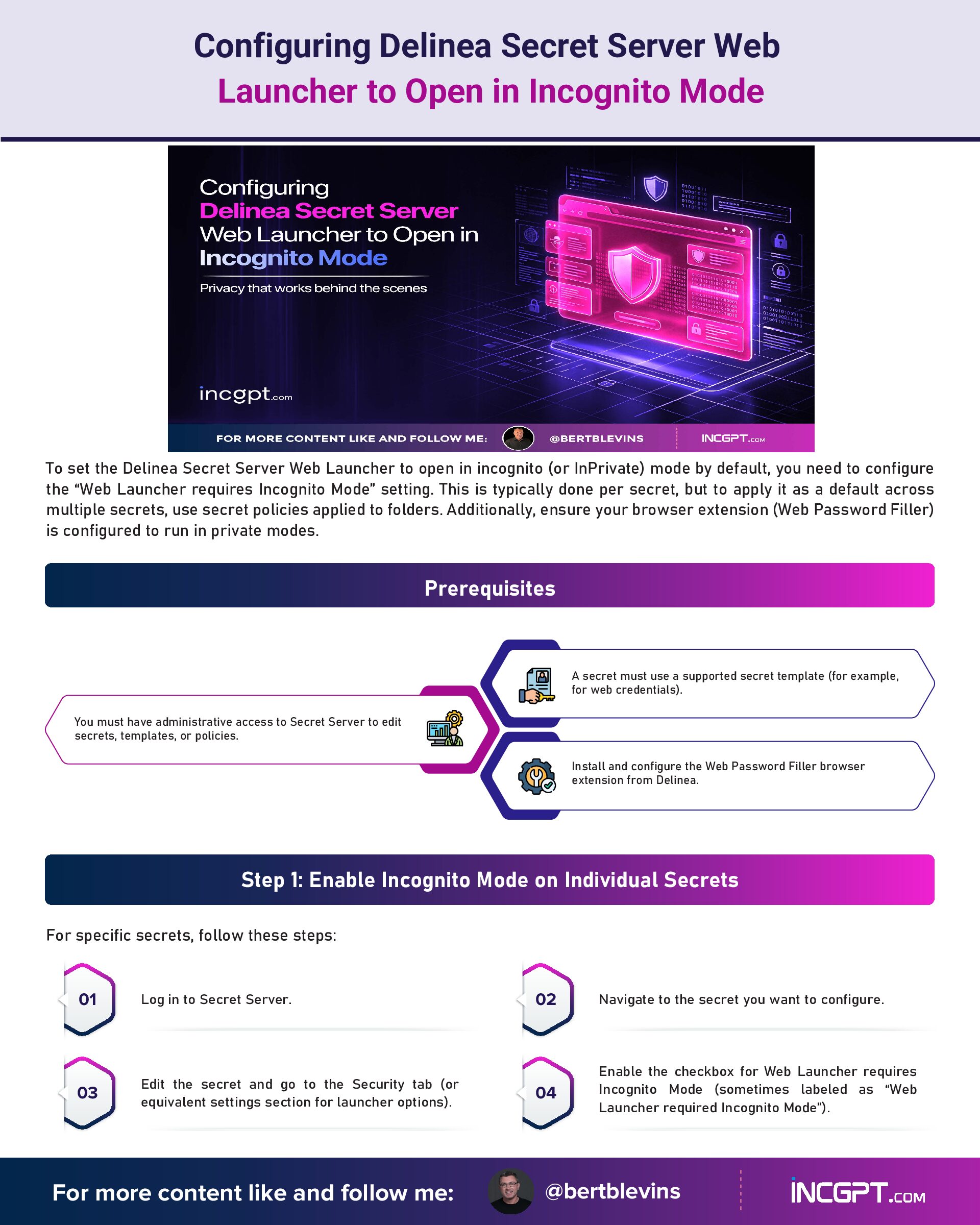
To set the Delinea Secret Server Web Launcher to open in incognito (or InPrivate) mode by default, you need to configure the “Web Launcher requires Incognito Mode” setting. This is typically done per secret, but to apply it as a default across multiple secrets, use secret policies applied to folders. Additionally, ensure your browser extension (Web Password Filler) is configured to run in private modes.
Prerequisites
- You must have administrative access to Secret Server to edit secrets, templates, or policies.
- A secret must use a supported secret template (for example, for web credentials).
- Install and configure the Web Password Filler browser extension from Delinea.
Step 1: Enable Incognito Mode on Individual Secrets
For specific secrets, follow these steps:
- Log in to Secret Server.
- Navigate to the secret you want to configure.
- Edit the secret and go to the Security tab (or equivalent settings section for launcher options).
- Enable the checkbox for Web Launcher requires Incognito Mode (sometimes labeled as “Web Launcher required Incognito Mode”).
- Save the changes.
When launched, this secret will now open in a new incognito window if one is not already active. If autofilling credentials on a non-incognito page, you will be prompted to switch to incognito.
Step 2: Set as Default Using Secret Policies
To enforce this as a default for new or existing secrets in folders:
- Log in to Secret Server as an admin.
- Go to Admin > Secret Policies.
- Click Create Secret Policy (or Add in older versions).
- Enter a Name and Description for the policy.
- Enable the policy (check the Enabled box).
- In the policy settings (grouped into tabs like Security and Remote Password Changing), locate Web Launcher requires Incognito Mode.
- Set it to Enabled and choose Enforced (to prevent users from disabling it) or Default (to apply but allow overrides).
- Save the policy.
- Apply the policy to folders by going to a folder’s settings, selecting the policy from the dropdown, and applying it. This will propagate to all secrets in that folder and subfolders.
New secrets created in those folders will inherit the setting automatically.
Step 3: Configure Browser Extension for Incognito Support
The extension must be allowed in private browsing:
- Chrome: Go to chrome://extensions/, find the Web Password Filler extension, and toggle Allow in incognito.
- Microsoft Edge: Go to edge://extensions/, find the extension, and toggle Allow in InPrivate.
- Firefox: Go to about:addons, select the extension, and enable Run in Private Windows.
- Safari: On macOS Sonoma (14+) or higher, enable Run in Private Window via extension settings (older versions auto-enable).
Without this, launches may fail even if the secret setting is enabled.
Notes
- This setting applies to web-based launchers (for example, for website credentials). Other launchers like RDP may not be affected.
- If using API or bulk creation, ensure policies are applied to avoid issues (as fixed in versions like 11.2).
- Test launches after changes to confirm behavior. If issues persist, check Secret Server logs or consult Delinea support for version-specific quirks.
Microsoft Edge Command-Line Argument for Incognito Mode
The command-line argument (often referred to as a process or switch argument) to open Microsoft Edge in InPrivate mode (its equivalent of incognito) is –inprivate. You can append this to the msedge.exe executable path when launching from the Command Prompt, PowerShell, or within a launcher configuration like in Delinea Secret Server.
Example Usage
From Command Prompt
msedge.exe –inprivate https://example.com
From PowerShell
Start-Process msedge.exe -ArgumentList “–inprivate”, “https://example.com”
In a Shortcut
Right-click an Edge shortcut, select Properties, and append –inprivate to the Target field, for example:
“C:\Program Files (x86)\Microsoft\Edge\Application\msedge.exe” –inprivate
Summary
This argument ensures the browser launches without saving history, cookies, or site data for that session. Note that it is –inprivate specifically for Edge, not –incognito (which is for Chrome). If you are integrating this into a tool like Secret Server’s Web Launcher, it may be configurable in the browser launch settings or via custom arguments, but consult Delinea’s documentation for exact integration.
Configuring Delinea Secret Server Web Launcher to Open in Incognito Mode
To set the Delinea Secret Server Web Launcher to open in incognito (or InPrivate) mode by default, you need to configure the “Web Launcher requires Incognito Mode” setting. This is typically done per secret, but to apply it as a default across multiple secrets, use secret policies applied to folders. Additionally, ensure your browser extension (Web Password Filler) is configured to run in private modes.
Prerequisites
- You must have administrative access to Secret Server to edit secrets, templates, or policies.
- A secret must use a supported secret template (for example, for web credentials).
- Install and configure the Web Password Filler browser extension from Delinea.
Step 1: Enable Incognito Mode on Individual Secrets
For specific secrets, follow these steps:
- Log in to Secret Server.
- Navigate to the secret you want to configure.
- Edit the secret and go to the Security tab (or equivalent settings section for launcher options).
- Enable the checkbox for Web Launcher requires Incognito Mode (sometimes labeled as “Web Launcher required Incognito Mode”).
- Save the changes.
When launched, this secret will now open in a new incognito window if one is not already active. If autofilling credentials on a non-incognito page, you will be prompted to switch to incognito.
Step 2: Set as Default Using Secret Policies
To enforce this as a default for new or existing secrets in folders:
- Log in to Secret Server as an admin.
- Go to Admin > Secret Policies.
- Click Create Secret Policy.
- Enter a Name and Description for the policy.
- Enable the policy (check the Enabled box).
- In the policy settings (grouped into tabs like Security and Remote Password Changing), locate Web Launcher requires Incognito Mode.
- Set it to Enabled and choose Enforced (to prevent users from disabling it) or Default (to apply but allow overrides).
- Save the policy.
- Apply the policy to folders by going to a folder’s settings, selecting the policy from the dropdown, and applying it. This will propagate to all secrets in that folder and subfolders.
New secrets created in those folders will inherit the setting automatically.
Step 3: Configure Browser Extension for Incognito Support
The extension must be allowed in private browsing:
- Chrome: Go to chrome://extensions/, find the Web Password Filler extension, and toggle Allow in incognito.
- Microsoft Edge: Go to edge://extensions/, find the extension, and toggle Allow in InPrivate.
- Firefox: Go to about:addons, select the extension, and enable Run in Private Windows.
- Safari: Enable Run in Private Window via the extension settings.
Without this, launches may fail even if the secret setting is enabled.
Notes
- This setting applies to web-based launchers (for example, for website credentials). Other launchers like RDP may not be affected.
- If using API or bulk creation, ensure policies are applied to avoid issues.
- Test launches after changes to confirm behavior. If issues persist, check Secret Server logs or consult Delinea support.
Microsoft Edge Command-Line Argument for Incognito Mode
The command-line argument (often referred to as a process or switch argument) to open Microsoft Edge in InPrivate mode (its equivalent of incognito) is –inprivate. You can append this to the msedge.exe executable path when launching from the Command Prompt, PowerShell, or within a launcher configuration like in Delinea Secret Server.
Example Usage
From Command Prompt
msedge.exe –inprivate https://example.com
From PowerShell
Start-Process msedge.exe -ArgumentList “–inprivate”, “https://example.com”
In a Shortcut
Right-click an Edge shortcut, select Properties, and append –inprivate to the Target field, for example:
Summary
This argument ensures the browser launches without saving history, cookies, or site data for that session. Note that it is –inprivate specifically for Edge, not –incognito (which is for Chrome). If you are integrating this into a tool like Secret Server’s Web Launcher, it may be configurable in the browser launch settings or via custom arguments, but consult Delinea’s documentation for exact integration.