Why You Should Switch to Passkeys: A Stronger, More Secure Alternative to Passwords
In the era of constant data breaches and hacking threats, traditional passwords are increasingly seen as outdated and vulnerable. Even with password managers in place, the reliance on passwords remains a significant security risk. Enter passkeys—an innovative and much more secure alternative to passwords that is quickly gaining traction among companies and users alike. This article will explore how passkeys work, why they are more secure than passwords, the challenges involved in their adoption, and how you can start using them today.
What Are Passkeys?
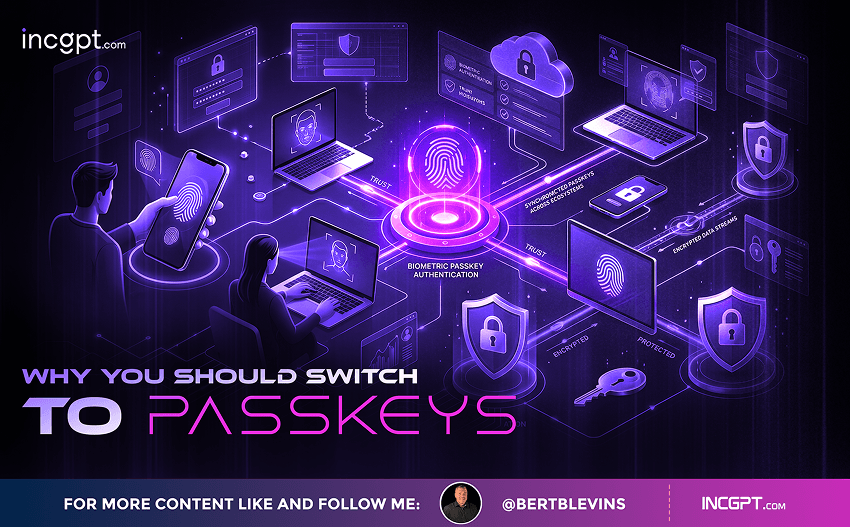
A passkey is created when a public key and a private key are paired together. Here’s how it works: websites or apps store your public key, while your private key is securely kept on your device, in your password manager, or within your iCloud keychain if you’re an Apple user. When you attempt to log in, your device or iCloud authenticates your identity, and the two keys are combined to grant you access to your account.
The unique nature of passkeys lies in their relationship to the devices you use. Unlike traditional passwords, passkeys are tied directly to your devices, making them much harder to steal or replicate. Because the private key never leaves your device, it cannot be intercepted by hackers in a database breach. This represents a significant step forward in the fight against cybercrime, particularly in a world where data breaches are becoming increasingly common.
Furthermore, because passkeys work through cryptographic authentication, they are virtually impossible to guess or share, which eliminates two of the most common weaknesses associated with traditional passwords. Whether it’s a password like “12345” or a more complex one, if it’s stored in a database, it can eventually be hacked or leaked. With passkeys, your login credentials are not stored on centralized servers, significantly reducing the risk of mass data breaches.
Are Passkeys Really More Secure Than Passwords?
The short answer: Yes. Passkeys provide a level of security that traditional passwords can’t. For one, they cannot be guessed or shared, eliminating one of the most common weaknesses of passwords. Additionally, they make phishing attempts more difficult, as the authentication process is site-specific—your passkey won’t work on a lookalike website designed to steal your credentials.
However, no security measure is foolproof. As security researcher Trevor Hilligoss explains, while passkeys are a great step forward, criminals can still exploit other vulnerabilities such as browser cookies. Once a criminal steals a validated session cookie, they don’t need to authenticate their identity again to gain access to your accounts. This highlights the need for website owners to address cookie hijacking and session security.
Cookie Hijacking: A Potential Weakness
Although passkeys make it harder for criminals to steal your login credentials directly, they don’t eliminate all threats. One of the most significant remaining risks is cookie hijacking. Cookies are small pieces of data stored in your browser that authenticate your session on websites. Once a session is validated, criminals can steal these cookies using malware, which then allows them to bypass the need for further authentication, even with passkeys.
To mitigate the risks posed by cookie hijacking, website owners need to ensure that cookies are properly secured and have short expiration times. For the average user, one way to protect against this threat is by using passkeys wherever possible. Moreover, some websites allow users to customize the expiration duration of their session tokens, which can add an extra layer of protection.
Common Complaints About Passkeys
Despite their potential, there are some growing pains associated with passkey adoption. Here are a couple of the most common concerns:
1. Confusing Terminology: Some users may confuse passkeys with other multi-factor authentication methods like biometric authentication or hardware security keys. Unlike these methods, passkeys eliminate the need for a username and password altogether, offering a seamless authentication experience once your identity is verified on your device.
Many people still think of multi-factor authentication (MFA) as being a second layer of security, which is often achieved through codes sent to your phone or email, biometrics (like fingerprints), or hardware keys. Passkeys, however, are a part of MFA but do not require the extra authentication step typically associated with it. The technology has yet to be universally understood, which is why some users might still prefer using traditional passwords with additional security layers like MFA.
2. Access Issues: What happens if you lose your device or need to log into an account on a public computer? If your passkey is stored only on your phone, you might find yourself locked out of your account until you regain access to that device. For example, I have been unable to log into a TikTok account for a year due to a missing passkey. It’s crucial to have backup access options, or at the very least, ensure your passkeys are stored securely in a cloud-based password manager that can sync across devices.
The problem of losing your device is a significant one. While losing your phone or computer can cause issues with password-based logins, it is even more critical with passkeys because they are tied to specific devices. If your only backup method is a physical device, you might find yourself unable to log in for an extended period until you resolve the issue.
How Can You Use and Store Passkeys?
As passkey adoption grows, several tools and services are making it easier to use and store them securely. Password managers such as NordPass and Proton Pass allow you to store and generate passkeys on both Android and iOS devices. Additionally, Apple’s Passwords app and Google’s Password Manager now support passkey storage. With these tools, users can keep their passkeys safe and easily accessible, ensuring smooth and secure access to their accounts without relying on traditional passwords.
However, it’s essential to note that not all websites currently support passkeys. While major tech companies like Microsoft and Amazon are already integrating passkey technology into their services, smaller websites and businesses may still rely on traditional passwords. The rollout of passkeys will take time, and users will likely encounter a mix of old and new security protocols as the transition happens.
How to Start Using Passkeys
Getting started with passkeys is simpler than it might seem. Here’s a basic guide to help you switch from passwords to passkeys:
1. Check If Your Device Supports Passkeys: If you’re an Apple user, you likely already have access to passkeys via your iCloud Keychain. For Android users, passkey support is available through Google Password Manager. Make sure you have the latest updates on your device.
2. Enable Passkeys on Your Accounts: Many major websites, including Microsoft and Amazon, offer the option to set up passkeys. In most cases, it’s as simple as logging into your account, navigating to security settings, and selecting the passkey option.
3. Store Your Passkeys Safely: Use a trusted password manager that supports passkeys. This will ensure that your passkeys are stored securely and can be easily accessed when needed.
4. Backup Your Passkeys: To avoid being locked out of your accounts, ensure that your passkeys are backed up. For Apple users, this can be done through iCloud, and for Android users, Google’s Password Manager offers similar functionality.
Conclusion: The Future of Security Is Passkeys
While passwords are still widely used, they are becoming less effective in the face of evolving security threats. Passkeys offer a much more secure alternative, protecting against common attacks and reducing the risks associated with data breaches. As adoption continues to grow, it’s likely that we’ll see passkeys replace passwords entirely, making digital security safer and more convenient for everyone. If you haven’t already, consider making the switch to passkeys—it could be one of the best security decisions you make.
In a world where data breaches are constant and the risks of traditional passwords are becoming ever more apparent; passkeys provide a beacon of hope for a safer online future. By adopting passkeys today, you’re not just securing your accounts better; you’re also paving the way for a passwordless future.